
A recipe for any party
Party game show — how to run a round
A general recipe for FamiliVersus, an independent Family Feud–style game, with any group: gear, internet, two teams and one round. A living room with friends has its own page — house party on the TV.
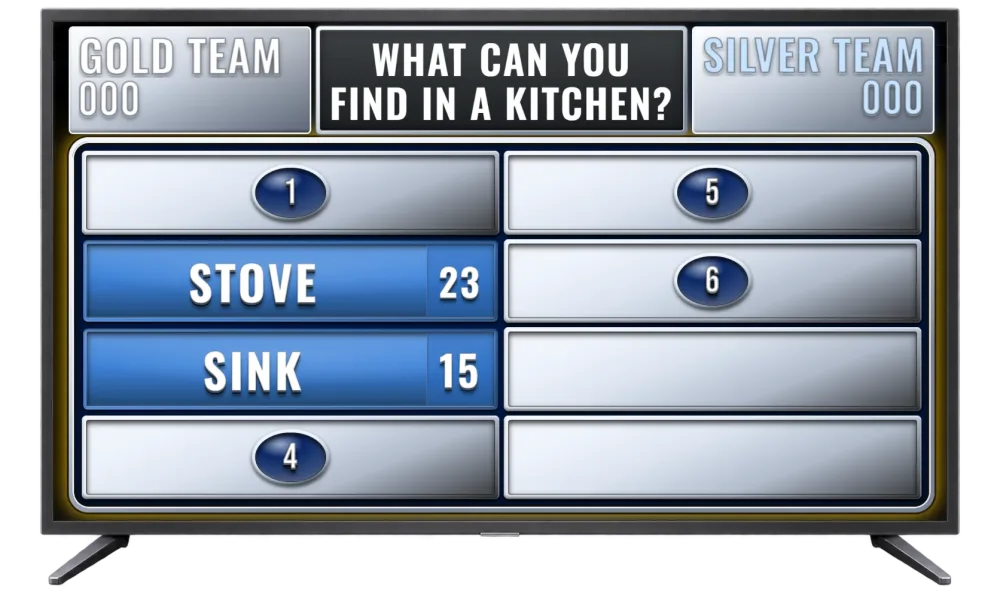
What to set up before you start
Nothing to install. You need internet and a browser on two devices: a screen for the room (TV, projector or a laptop over HDMI) and the host panel. The buzzer is a third, optional device — one tablet, two buttons. Players do not create accounts.
FamiliVersus plays with two teams. Split the room in half or mix the tables. People who do not want to answer still see the board.
Specific occasions, once you know who you are hosting for: wedding, birthday and anniversary, holidays and New Year’s Eve, house party.
A sample round for any group
A survey question, several answers, points for hitting a popular one. The list is an illustration — not the result of a real survey.
What do people do in the first hour of a party, before they sit down to play?
- Look for a drink — 26 pts
- Say hello in a loop — 22 pts
- Stand by the food — 16 pts
- Check a phone — 14 pts
- Ask where the bathroom is — 12 pts
- Pretend to help the host — 10 pts
In the demo you reveal ready-made questions in Host only mode, up to two rounds. You build your own library on a free account.
At a party in practice
How is this page different from a house party?
This is a general recipe for any group: gear, internet and two teams. A house party is about the living-room TV with friends. Birthdays and the holidays have their own pages.
Do I need to install anything?
No. You and your guests install nothing. A browser and internet are enough — host panel, TV board and team buzzer are web pages.
How long does setup take?
The first game takes about 5 minutes — from picking questions to connecting devices with a QR code.
Is the buzzer required?
No — you can host without a buzzer, but team duels are much more fun with one.
Can I add my own questions?
Yes. On a free account you can prepare an unlimited library (categories, questions, up to 8 answers when saving) — including questions about a couple, a company or guests, by hand or with AI on Premium. In gameplay the first 3 questions from your library are available (alphabetical order); the rest locked; up to 8 answers on the board. Full library in gameplay — with Premium.
Do I need Premium right away?
No. You can start for free — run a demo without signing up or create a free account. Choose Premium in the app when you actually need full access.